Senior Technical Artist
Modelo-UFC VR Game
Software Used:


Unity
Maya
Substance Painter
The Modelo UFC Fighting Spirit Challenge was a VR experience developed by Groove Jones. I contributed as a Technical Artist in the following capacities:
Our target platform, the Oculus GO, presented a challenge of extreme constraint. While robust, the GO even at the time of this project was considered a relatively low end VR device. Regardless, Art direction and client requirements demanded a highly polished and smoothly animated opponent character, and an expansive stadium environment.
ENVIRONMENT
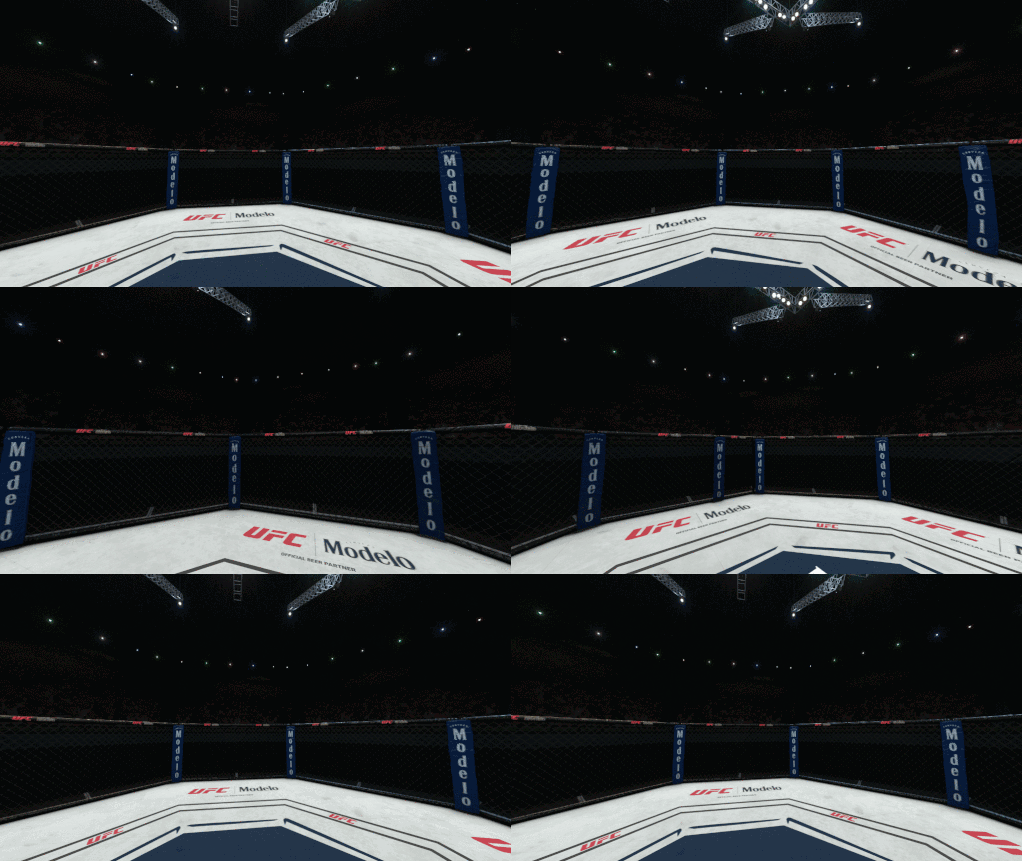
An early decision was to dedicate as much budget as possible to the characters in the experience, which meant the background environment needed to be rendered as cheaply as possible.
Since the GO only had 3 DOF, we were able to leverage stereoscopic imagery, by rendering the entire complex stadium environment offline into a stereo texture on a skybox mesh. In VR, this gave the illusion of depth.
Although the ring floor was rendered in that skybox, we also placed a mesh floor into the scene to give visual grounding for players in VR, and to render character shadows.
NOTE: The gif above shows a POV of the skybox, but it is not displayed here in stereo, so depth is not apparent.
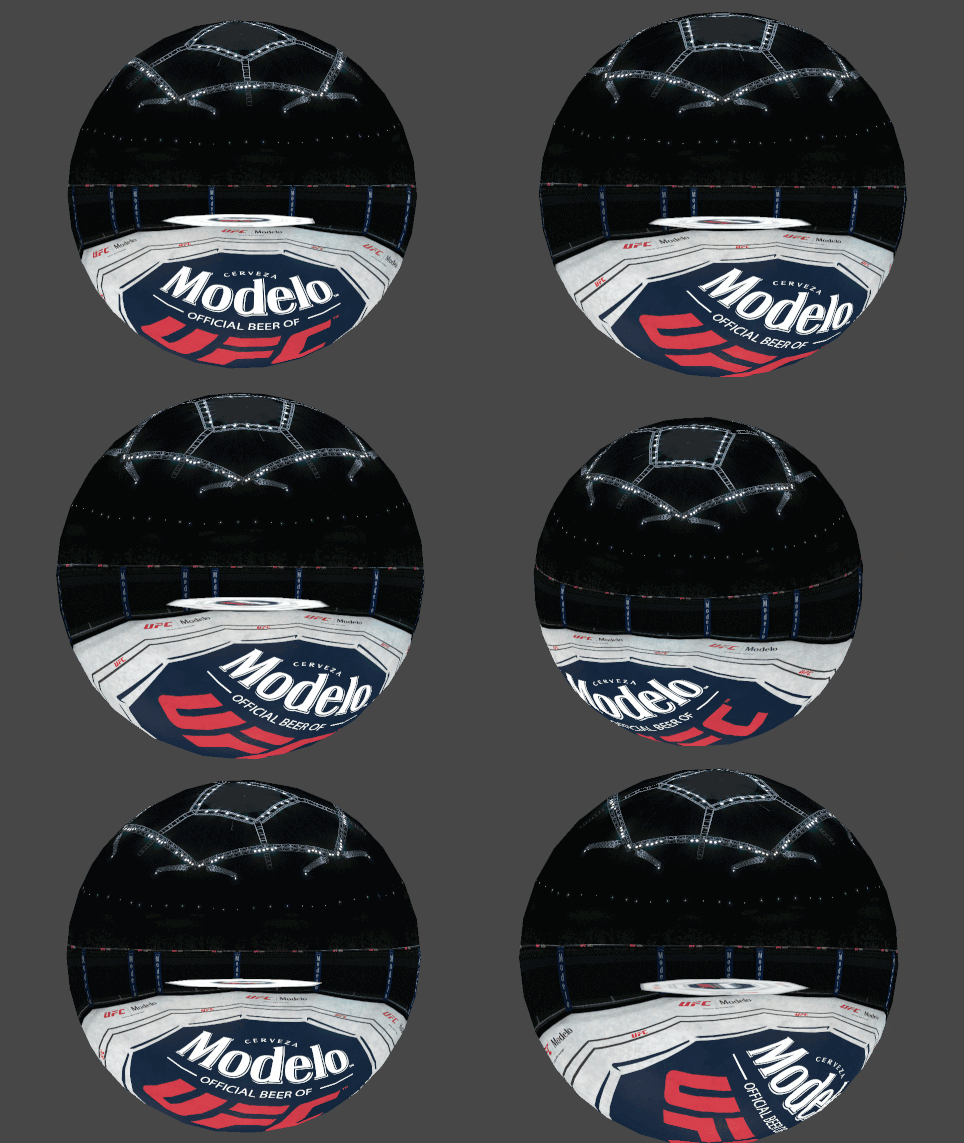
The result was a fully realized environment with just 2 draw calls and <2k tris.
CHARACTER SHADER
I created a custom shader for the opponent, using Unity plugin Amplify Shader Editor. We needed to push certain stylistic details that were not possible with Unity standard shaders- the following features were requested:
-
Ability to tune shadow definitions and specularity details.
-
(Fake) SSS. To save on perf, I faked SSS with a modified AO bake for thickness and some color parameter tuning.
-
Damage effects. I created a texture with a masking layer in the alpha channel.
Below is a Before/After of the character look with the Unity Standard shader (left), and the custom shader (right)
Below are a couple Gifs to further illustrate a couple of the above features
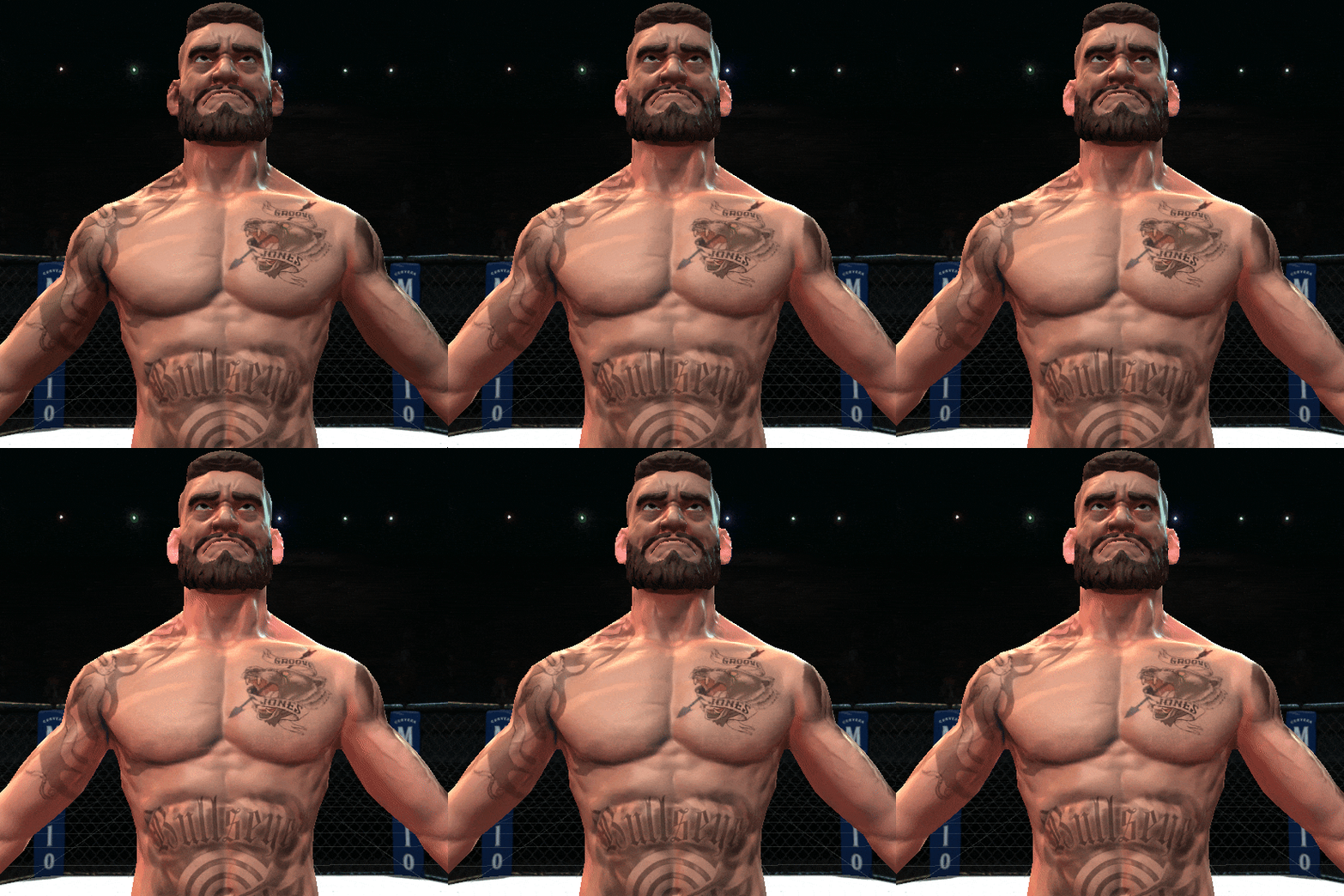
Fake SSS dialing in and out, to illustrate the effect of the thickness map contribution

Damage texture dialing in, which was controlled dynamically when opponent was damaged.
If I were to revisit this project, I would improve the following:
-
fake the desired rim-lighting look in shader instead- the timeline was tight on the project, and art direction wanted lights of varying colors from multiple directions, so we shipped with stationary rim lights instead of a shader solution--other optimizations left just enough budget to get away with this.
-
Apply the damage with a more robust solution. We used the alpha of the damage texture to interpolate damage onto the character, which looked fine in gameplay. But a solution that actually added damage to the area of the mesh that was punched would have been preferable.